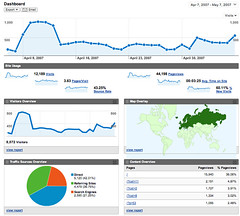
Google Analytics v2.0 (Photo credit: vrypan)
A good SEO campaign relies on not only implementing changes but also measuring the impact of those changes, seeing what works and doing more of that. Two great Analytics packages to measure results are Google Analytics and getClicky.
You can also measure results by tracking rankings, the problem with rank tracking though is that it’s hard to determine “real” rankings because of personalized and localized search results. Really the best outcome of being great at WordPress SEO is to get more traffic.
Another great source of data is Google Webmaster Tools. One of the relatively simple tricks I always give people is the following:
- go into Webmaster Tools;
- go to “Your site on the web”, then “Search queries“.
- Click on “Download this table”.
- Open the CSV file you get in Excel.
- Replace all the instances of “<10″ in the Clicks column with 9.
- Select the entire first row and click the filter button, usually the icon is a funnel:
- filter icon
- For the average position column, choose “greater than 5″, sort Ascending.
- Then for the “Clicks” column, sort Descending.
You now have the keywords people are finding you for in the results pages where you rank below #6. The fact that they clicked on your result proves that they found your result interesting: see if you can optimize any of those terms so you’ll rank higher than a #6 average rank: use the Page Analysis in my SEO plugin to improve the page, improve the copy, ask others to link to you, etc.
This is a part of WordPress SEO Tutorial.

The post WordPress SEO Tutorial – Measuring Results appeared first on Tutorial Mini.
Related posts:
- WordPress SEO Tutorial – Off site blog SEO
- WordPress SEO Tutorial – WordPress Basic SEO
- WordPress SEO Tutorial – Advanced WordPress SEO and Duplicate Content
via Tutorial Mini http://tutorialmini.com/wordpress-seo-tutorial-measuring-results/

No comments:
Post a Comment